
Troubleshooting Industrial Control Systems: What to Do
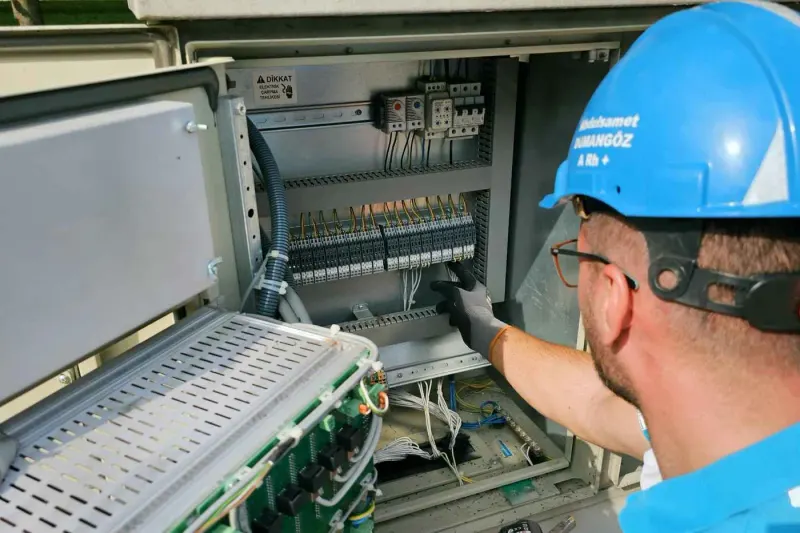
Modern plants are webs of interconnected automation. PLCs, VFDs, and HMIs run the sequences that keep production moving. When one of them faults, the whole line can stop.
Control system diagnosis needs both electrical knowledge and digital logic. A wrench won’t solve these problems. Your team needs to know how to talk to the machines through their control circuits.
For how this fits into a full plant-wide diagnostic strategy, see our industrial equipment troubleshoot guide.
Troubleshooting Industrial Control Systems
Control system troubleshooting is the process of diagnosing faults in a machine’s automated logic and power electronics.
That includes verifying industrial sensors, checking PLC-to-remote-I/O communication, and interpreting VFD fault logs. Errors here cause erratic machine behavior, safety interlock failures, and total system shutdowns. Getting this right requires the same systematic approach as any other fault diagnosis.
Here’s how:
Diagnose the PLC First
Most PLC problems aren’t in the PLC. They’re outside it.
Check the I/O module LED first. If a PLC output LED shows active but the actuator doesn’t move, the fault sits in the field wiring or the actuator itself, not the program. This single check eliminates hours of unnecessary program analysis.
For more complex faults, use the programming software to “force” an input to see if the rest of the sequence triggers. This isolates a faulty sensor without any physical disassembly.
For the six-step process that structures this kind of diagnosis, see our guide on the industrial equipment troubleshooting process.
Diagnose VFD Faults
Start with the display. The fault code tells you what the drive detected.
An “Overvoltage” code usually means the motor decelerated too fast for the load. An “Overcurrent” code means your tech needs to determine if the drive is failing, the motor windings have a short, or the mechanical load spiked. Each of those has a different fix.
Use a multimeter to check for balanced voltage going into the drive and a PWM signal going out to the motor. Both checks are fast and tell you which side of the drive the problem sits on.
Sensor and Feedback Loop Diagnosis
Control systems depend on feedback. A dirty photo-eye tells the PLC the conveyor is full, and the motor stops. A loose connection causes a flickering input signal that makes the machine behave erratically.
Check these three things on any sensor fault:
- Verify 24VDC supply power to the sensor
- Check for loose connections causing signal flicker
- Confirm the sensor is aligned and clean
These three checks resolve most sensor-related control system faults. For the mechanical side of failures that sensors often detect too late, see our guide on mechanical failures in industrial equipment.
Connect Control Faults to Root Cause
Getting the system running again is step one. Finding out why the control fault happened is step two.
A VFD that keeps throwing the same overcurrent fault points to a mechanical load issue or a motor degradation problem, not a drive problem. Use root cause analysis to trace it back to the reason behind the industrial equipment failure.
See our guide on root cause analysis for equipment failures for the full methodology.
Recommended ITC Learning Courses
- Programmable Logic Controllers: Covers PLC principles, ladder logic interpretation, and I/O diagnostic skills for fault isolation.
- Electrical Control Equipment: Teaches VFD operation, motor starters, and the control circuit behavior behind common faults.
- Electrical/Electronic Test Equipment: Covers multimeters and oscilloscopes for VFD input/output checks and signal verification.
- Digital Electronic Theory: Builds the digital logic foundation techs need to understand how PLCs process signals and execute sequences.
Key Takeaways
- 80% of PLC problems sit in field devices, not the controller.
- VFD fault codes are the starting point, not the ending point, of VFD diagnosis.
- Sensor checks cover supply voltage, connection integrity, and physical alignment.
- Control system faults need root cause analysis after the machine runs again.